
The previous post introduced dsh-qa as a testing workbench inside DeepSeek Harness. This article follows the records that workbench creates, from the first requirement to release and archive.
If you want the shorter product tour first, read dsh-qa: An AI Testing Workbench Inside DeepSeek Harness.
Before following the lifecycle, one sentence about the platform underneath it: DeepSeek Harness, or dsh, is DeepSeek AI’s open-source, plugin-first agent harness. Its official description is simple — everything is a plugin — and that is why dsh-qa can add a testing workbench without becoming a separate agent stack.
The platform is also moving fast. On August 20, 2026, the official GitHub repository displayed approximately 167.3k stars and 17.9k forks, a strong public signal that developers are actively trying it and extending it. The same repository labels the software developer preview and warns about compatibility-breaking changes. So the workflow in this article is practical, but the integration should be treated as a moving target.
The result is a workflow that starts in a DSH project session but does not end in chat: what happens at each step, where the AI helps, and where a human decides all remain visible in the project records.
The example below is a workflow walkthrough, not a claim that dsh-qa can approve a release by itself. The point is to follow the records as they move: a requirement becomes a testable scope, test cases gain traceability, execution creates evidence, defects return to regression, and the report preserves what was actually done.
Step 1: Create the project, folders appear automatically
Create a new test project in dsh-qa and choose the project or iteration shape.
On creation it can auto-generate an eight-level local workspace:
01_需求与范围 / 02_测试计划 / 03_测试用例 / 04_测试数据与脚本 /
05_测试执行 / 06_缺陷 / 07_测试报告 / 08_发布与归档
The folder layout is the convention — project files land in the right stage from day one.
Deleting the project record never deletes the folders, so archives survive.
That separation is useful when a project record needs cleanup but the files still matter. The project record controls the workbench view; the local directory is the durable file workspace. In plugin mode the project data lives under ~/.dsh/dsh-qa/; in standalone mode it lives under the repository’s data/ directory.
Requirements analysis: the AI boards the requirements first
Hand the requirements document to the project’s DSH session and let the AI break it down.
It registers the requirements on the board, links test cases with verification purposes, and flags scope and risks.
You see requirement cards on the kanban immediately — not something lost in a chat transcript.
The first review question is not “did the AI summarize the document?” It is “can another tester tell what is in scope, what is missing, and how each requirement will be verified?” That is why requirements can be linked to test cases with a verification purpose. The link carries more meaning than a matching title.
Test design: executable, judgeable, traceable
Ask the AI to draft test cases from the requirements. The quality principles are baked into Test Mode (preset id: qa):
- Test cases must be executable and judgeable
- Cover positive, exception, and boundary scenarios
- Organized by requirement-trace
traceand risk tags
Each case carries a priority and one of three states, and appears on the board as soon as it is registered.
Combine this with awesome-qa-skills — /test-case-writing, /test-case-reviewer — for steadier output.
For a concrete case, imagine a requirement that a user can change an email address after signing in. The useful test design does not stop at the happy path. It needs the current-password rule, malformed addresses, duplicate addresses, expired sessions, boundary-length values, confirmation messaging, and the trace back to the original requirement. dsh-qa stores the case and its metadata; the QA skill helps structure the thinking; the owner still decides whether the coverage is enough.
Case review: the gate that keeps quality honest
Cases don’t go straight to execution.
The AI submits a case review request, and the test owner approves it manually. On approval the card moves to “In Execution”; otherwise it goes back for revision.
The same applies to requirements review, strategy review, report review, release, and closure — the AI requests and organizes, people approve.
Execution & defect regression: live board + automation results
During execution, results can be imported directly:
- Playwright / Pytest results land on the board via the
testrun_importtool - Manual results move cards between columns with drag-and-drop
For defects, the AI sets severity based on business impact, records reproduction frequency and impact scope, and separates “observed facts” from “cause guesses” — no fabricated data, no guesses dressed up as conclusions.
Fixed defects move to “Defect Regression” and only enter “Released” after passing regression.
The defect record is intentionally more restrained than an AI diagnosis. It carries the observed behavior, business impact, reproduction frequency, impact scope, and status. A suspected cause can be discussed in the project session, but it should not be promoted into a fact merely because the model produced a confident paragraph.
Milestones: due dates computed, reminders built in
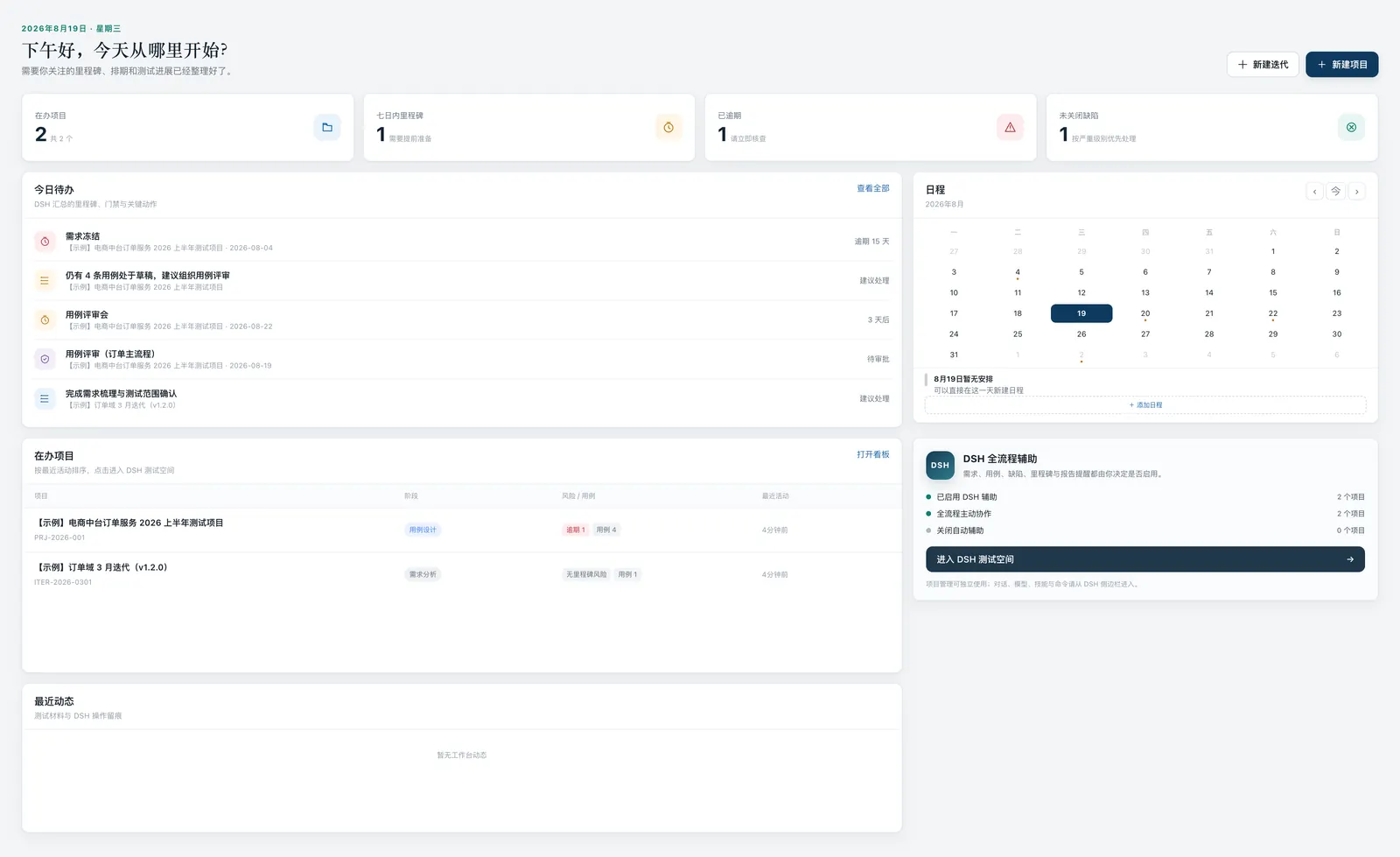
Milestones get their due dates computed automatically, with overdue marked red and due-within-7-days in yellow.
The dashboard and calendar show them together — no digging through email for the schedule.
Test reports: versioned and accumulated
The AI can draft test reports and save them as versions, distinguishing:
- Executed facts
- Unexecuted scope
- Evidence gaps
Released reports join requirements, cases, defects, milestones, knowledge, and minutes in the project archive — a knowledge base that grows with the project.
The report workflow also gives the team a place to record uncertainty. A credible report separates executed facts from unexecuted scope and evidence gaps. If a browser matrix was not run, that belongs in the report. If a defect was fixed but regression evidence is missing, the release decision should see that gap instead of inheriting a green status from a draft.
Project archive: nine sections, one workspace
The wide project detail centralizes nine sections:
Overview / Requirements / Test Cases / Defects / Milestones / Reports / Knowledge / Minutes / GatesPlus progress, AI strategy, members, file directory, and a stage timeline.
Where the project stands, what is blocked, who owns what — one workspace shows it all.
The nine sections preserve context around the test artifacts. A report without the related requirements is hard to challenge. A defect without the milestone or release context is hard to prioritize. The archive view puts those relationships next to the stage timeline rather than asking the next person to reconstruct them from chat history.
Who decides, who does the work
dsh-qa keeps the split clear:
- The AI does the work: breaking down requirements, writing cases, registering defects, computing milestones, drafting reports, submitting gates
- People decide: approving gates, confirming severity, making the release call
That is a pragmatic way to bring AI into testing: AI increases speed, people protect quality.
There is a second boundary worth keeping. Automation results can be imported from Playwright or Pytest, but importing a result does not turn it into independent proof of product quality. The result still needs project context, tested scope, environment, and human interpretation. dsh-qa makes that evidence easier to place beside the work; it does not remove the work of judging it.
Start today
The fastest path:
- Install the plugin:
dsh plugin --profile web add github:naodeng/dsh-qa - Install Test Mode:
scripts/install-qa-preset.sh - Restart
dsh weband open QA Workbench from the sidebar - Create a project — or explore the two samples created on first launch
Repository: https://github.com/naodeng/dsh-qa
If you want to inspect the workflow without setting up DSH first, use standalone mode and explore the seeded project and iteration. If you want to test the full AI loop, install the qa preset, install the companion skills, open a project from the DSH sidebar, and run one small requirement-to-case flow before importing a larger test run. Start with a narrow slice. It makes the approval points visible.
Project status and how to help
dsh-qa is still an early-stage project. The lifecycle is usable, but it is not finished software — some workflows are deliberately simple, and real-world feedback will decide what becomes deeper, faster, or easier to configure.
You are welcome to try it with a small project and report what you find. Use the repository’s Issues for bugs, confusing behavior, and feature ideas; include reproduction steps and evidence when possible. Pull requests are welcome for documentation, fixes, tests, accessibility, and workflow improvements. A small, focused PR is easier to review and merge.